
Your vocation, our passion
We are your one stop creative agency providing
Business IT Services.
Top Notch Digital Marketing Agency that drives revenue
and propel your business to new heights.
We create value for industries like Fin-tech |
Healthcare | Ed-tech | Beauty | Travel | E-commerce
and more.
How AI Workflow Automation Can Save Businesses Hundreds of Hours Every Month

AI workflow automation helps businesses automate repetitive, rule-based, and decision-driven tasks using artificial intelligence. Unlike traditional automation, AI can analyze data, make contextual decisions, and execute complete workflows across multiple systems. Businesses use AI workflow automation to reduce manual work, improve accuracy, lower operational costs, and save hundreds of employee hours every month. From customer support and sales to finance and HR, AI-powered workflows enable teams to focus on strategic work instead of repetitive processes.
Why AI Workflow Automation Is Becoming a Business Priority
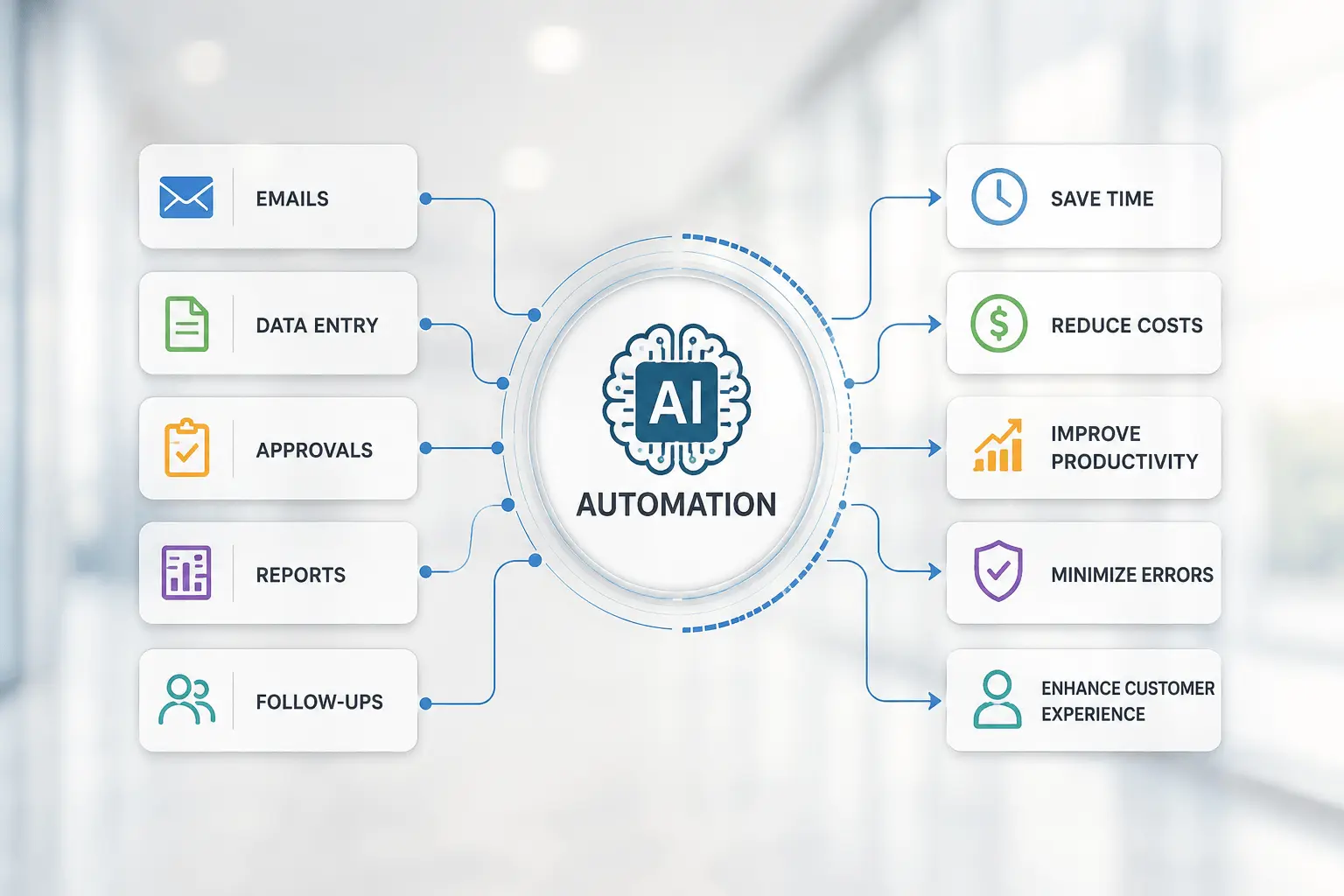
Studies suggest employees spend nearly 60% of their work time on routine, repetitive activities that could be partially automated, creating significant productivity opportunities.
Tasks like updating spreadsheets, responding to routine emails, processing invoices, qualifying leads, and moving data between systems consume valuable time every day.
These activities rarely create competitive advantages.
Instead, they reduce productivity and slow business growth.
This is why organizations are increasingly investing in AI workflow automation.
Unlike traditional automation tools, AI understands context, learns from data, and makes intelligent decisions throughout a workflow.
As a result, businesses can automate entire processes instead of isolated tasks.
Whether you're a startup or a global enterprise, intelligent automation helps teams accomplish more with the same resources.
Businesses rarely lose productivity because employees work slowly. They lose productivity because skilled employees spend too much time on repetitive work that AI can automate.
What Is AI Workflow Automation?

AI workflow automation uses artificial intelligence to automate business processes that normally require human involvement.
Instead of following rigid rules, AI evaluates information, makes decisions, and determines the next action.
This allows organizations to automate complex workflows across multiple departments and software platforms.
Unlike basic automation, AI-powered workflows can:
- Interpret documents
- Understand customer requests
- Analyze business data
- Prioritize tasks
- Generate responses
- Trigger actions automatically
- Learn from historical information
For example, a SaaS company receiving hundreds of support emails each day can use AI to identify the customer's issue, search its knowledge base, draft a personalized response, update the CRM, assign a priority level, and notify the appropriate support team - all within seconds.
Professional AI automation services for business combine AI models, APIs, integrations, and business logic to create intelligent end-to-end workflows.
Traditional Automation vs. AI Workflow Automation
Many businesses assume automation and AI are the same.
However, they are fundamentally different.
Traditional automation follows predefined rules.
AI automation adapts to changing situations and makes informed decisions.
| Traditional Automation | AI Workflow Automation |
|---|---|
| Rule-based | Context-aware |
| Fixed workflows | Dynamic workflows |
| Limited decision-making | Intelligent decision-making |
| Requires manual updates | Learns from data over time |
| Handles repetitive tasks | Handles repetitive and complex tasks |
| Limited flexibility | Highly adaptable |
This flexibility enables AI to automate workflows that traditional rule-based automation cannot efficiently handle.
How AI Workflow Automation Works
Although every implementation is different, most AI workflows follow the same structure.
| Step | What Happens |
|---|---|
| Data Collection | AI gathers information from emails, forms, databases, or applications. |
| Analysis | AI interprets the data and identifies intent or patterns. |
| Decision | AI determines the next action using predefined business rules and machine learning. |
| Execution | The workflow updates systems, sends notifications, or performs tasks automatically. |
| Monitoring | AI tracks outcomes and continuously improves performance. |
Because AI integrates with existing business applications, organizations rarely need to replace their current software.
Instead, intelligent workflows connect systems that already exist.
This is why AI integration services have become an essential part of successful AI adoption.
Why Businesses Are Investing in AI Workflow Automation
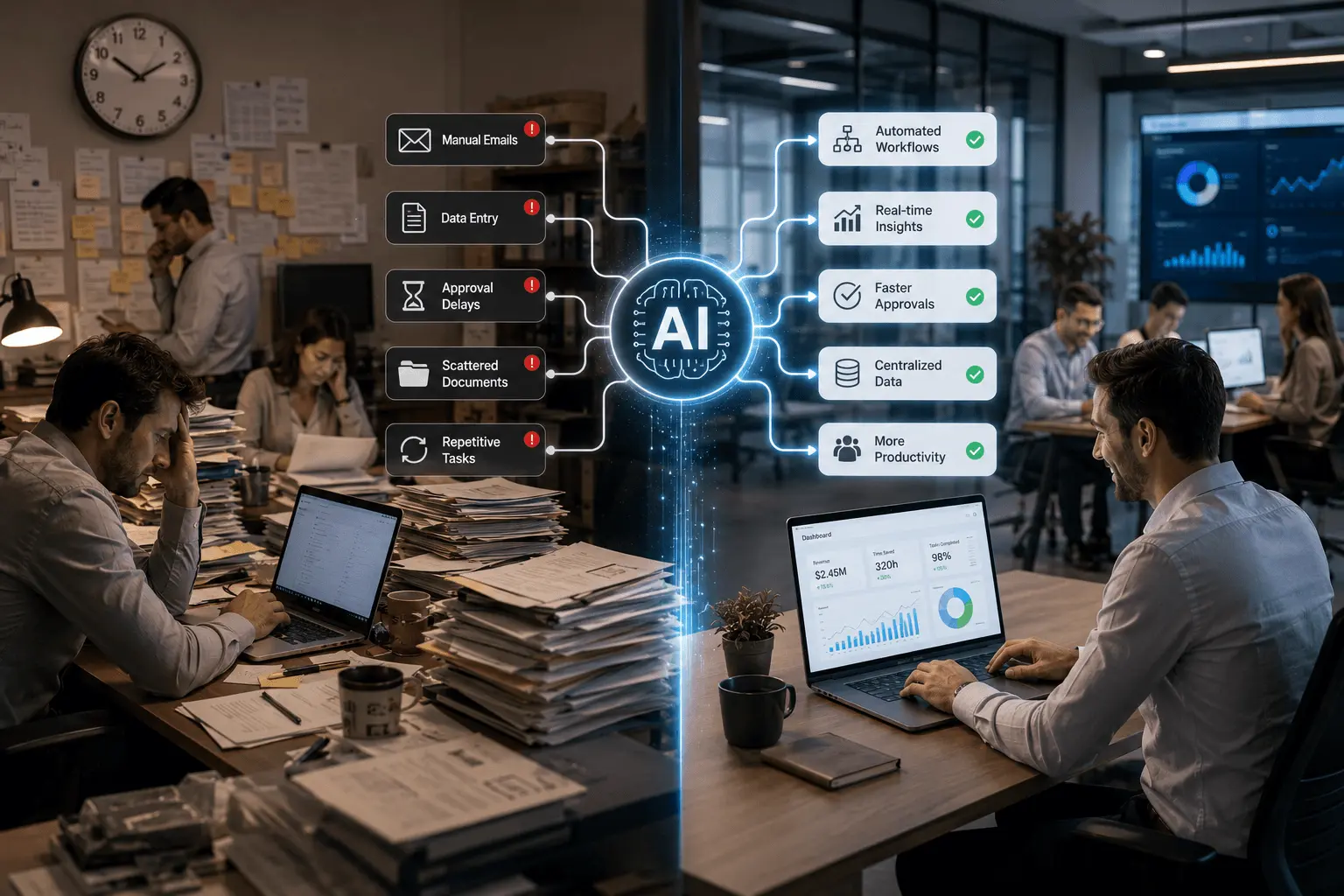
Organizations are no longer adopting AI simply to reduce costs. Industry research shows that businesses implementing AI-powered automation frequently report measurable improvements in productivity, operational efficiency, and decision-making.
Some of the biggest business benefits include:
Higher Productivity
AI automates repetitive administrative work, allowing employees to spend more time on strategic activities. For example, an HR team that previously spent several hours every week manually scheduling interviews can automate the process, allowing recruiters to focus on candidate engagement and hiring decisions instead.
Faster Response Times
For example, an e-commerce business can automatically answer common order status questions within seconds, reducing customer wait times without hiring additional support agents.
Better Accuracy
Manual processes often lead to data entry errors.
AI minimizes mistakes by following consistent workflows.
Lower Operating Costs
Automation reduces repetitive administrative work, and many organizations report lower processing costs after automating high-volume workflows.
Improved Scalability
AI workflows handle growing workloads without requiring proportional increases in headcount.
These advantages make AI process automation for small business just as valuable as enterprise automation initiatives.
Small teams often experience the greatest productivity gains because employees wear multiple hats.
The best automation projects do not replace employees. They eliminate repetitive work so employees can focus on higher-value responsibilities.
Business Processes You Should Automate First
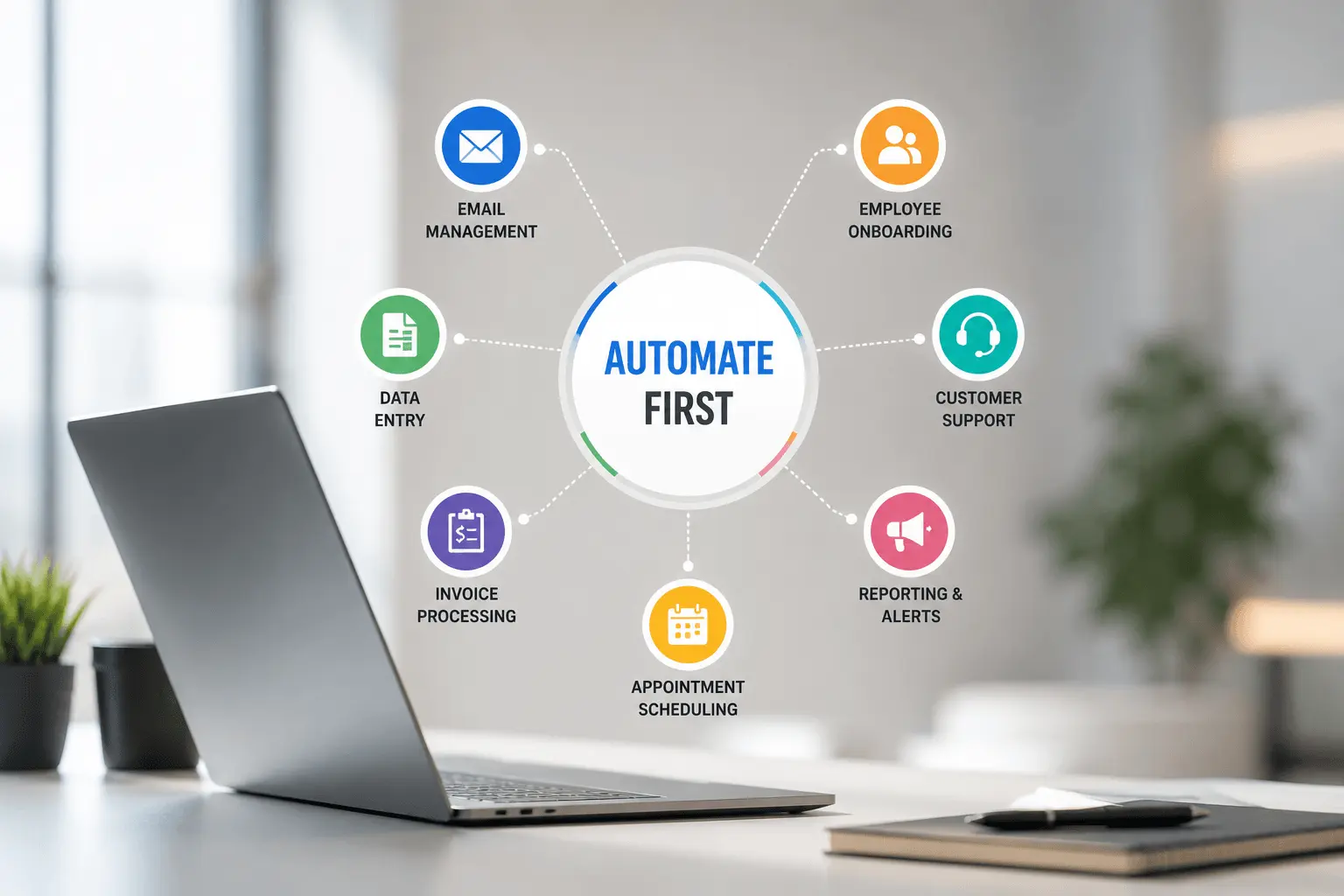
Not every workflow should be automated immediately. The best candidates are repetitive, high-volume, rule-based processes that require manual approvals, recurring reports, repetitive emails, or data movement between multiple systems.
| Department | Workflow to Automate |
|---|---|
| Sales | Lead qualification and CRM updates |
| Customer Support | Ticket routing and response generation |
| Finance | Invoice processing and expense approvals |
| Human Resources | Resume screening and interview scheduling |
| Marketing | Campaign reporting and lead nurturing |
| Operations | Document approvals and task assignments |
These workflows often produce quick wins while building confidence for larger automation initiatives.
Working with an experienced AI workflow automation company helps businesses identify the processes that will deliver the fastest return on investment.
Which Industries Benefit the Most?
AI workflow automation creates value across nearly every industry.
Examples include:
- Healthcare providers automating patient scheduling and documentation.
- Manufacturers streamlining inventory management and quality checks.
- Financial institutions processing applications faster.
- Retail businesses automating order management and customer service.
- Logistics companies improving shipment tracking and dispatching.
- Professional service firms simplifying document management and approvals.
Regardless of the industry, the goal remains the same: reduce manual effort while improving speed, consistency, and customer experience.
How AI Workflow Automation Saves Hundreds of Hours Every Month
The value of AI workflow automation becomes clear when you measure time instead of technology.
Most organizations perform hundreds or thousands of repetitive tasks every week, and even saving a few minutes per task can translate into hundreds of employee hours each month.
While each task may take only a few minutes, the total time quickly adds up.
A logistics company, for example, might process thousands of shipment updates each month. Instead of employees manually updating records and notifying customers, AI can complete these tasks automatically while routing exceptions to the appropriate operations team.
Research shows that organizations adopting AI automation often achieve substantial productivity improvements, especially when multiple workflows are automated.
Example Monthly Time Savings by Workflow
Consider a 50-person professional services firm. If each employee spends just 30 minutes a day on repetitive administrative tasks, that's more than 500 hours of manual work every month. Automating even part of those activities can return hundreds of productive hours without increasing headcount.
| Workflow | Manual Time | AI Time | Estimated Monthly Savings* |
|---|---|---|---|
| Lead Qualification | 40 hours | 5 hours | 35 hours |
| Customer Support Routing | 60 hours | 8 hours | 52 hours |
| Invoice Processing | 50 hours | 7 hours | 43 hours |
| HR Resume Screening | 45 hours | 6 hours | 39 hours |
| Weekly Reporting | 35 hours | 4 hours | 31 hours |
| CRM Data Updates | 55 hours | 8 hours | 47 hours |
*Actual savings depend on workflow complexity, business size, and implementation.
Together, these improvements can save hundreds of employee hours every month, allowing teams to handle more work without increasing headcount.
The biggest ROI from AI rarely comes from one automated task. It comes from automating dozens of small processes that consume time every day.
Department-by-Department Benefits of AI Workflow Automation
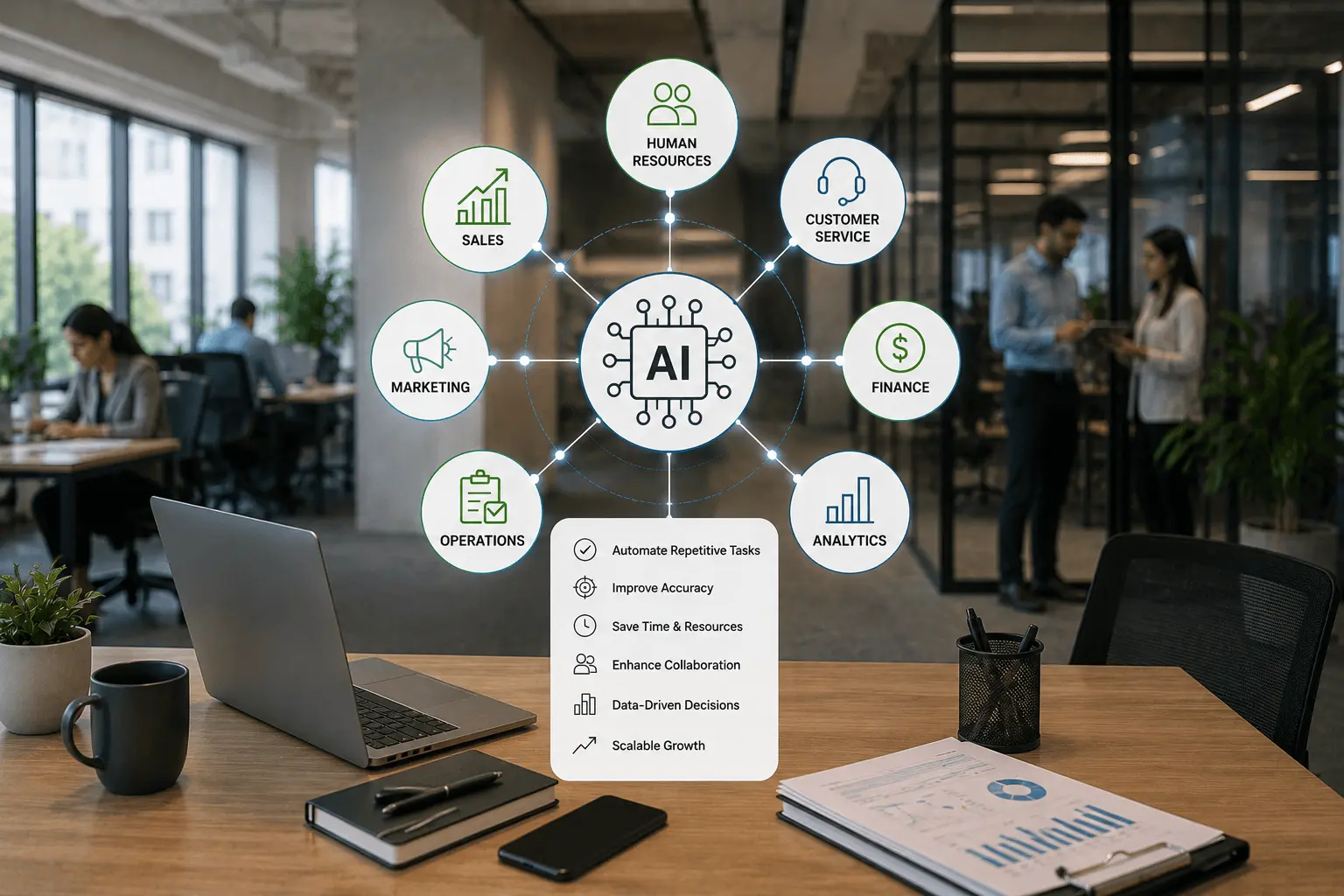
Every department has repetitive processes that slow productivity.
AI helps each team work faster while improving consistency.
Sales
Sales teams should spend time building relationships, not updating spreadsheets.
For example, when a prospect downloads a pricing guide, AI can score the lead, create a CRM record, assign it to a sales representative, and send a personalized follow-up email automatically.
Business Impact
- Faster lead response
- Better sales productivity
- Improved conversion rates
Customer Support
Support teams often answer similar questions repeatedly.
For example, AI can classify incoming support tickets, answer common questions using a knowledge base, route complex issues to the appropriate team, and update customer records automatically.
Business Impact
- Faster resolutions
- Improved customer satisfaction
- Lower support costs
Human Resources
HR departments manage large volumes of administrative work.
For example, AI can review hundreds of resumes, shortlist candidates who meet predefined criteria, and schedule interviews without manual coordination.
Business Impact
- Reduced hiring time
- Better candidate experience
- Less administrative workload
Finance
Financial processes require speed and accuracy.
For example, a finance team processing hundreds of supplier invoices each month can automatically extract invoice data, validate it against purchase orders, and route exceptions for manual review.
Business Impact
- Fewer manual errors
- Faster processing
- Improved compliance
Marketing
Marketing teams manage multiple campaigns simultaneously.
For example, AI can automatically segment customers based on purchasing behavior, recommend personalized content, and generate campaign performance reports.
Business Impact
- Better campaign performance
- Faster reporting
- Improved decision-making
AI Workflow Automation Across Business Functions
| Department | Common AI Workflow | Primary Benefit |
|---|---|---|
| Sales | Lead management | Higher conversions |
| Customer Support | Ticket automation | Faster responses |
| HR | Recruitment automation | Reduced hiring time |
| Finance | Invoice processing | Better accuracy |
| Marketing | Campaign optimization | Increased ROI |
| Operations | Task coordination | Higher productivity |
Because nearly every department has repetitive workflows, AI automation creates measurable value across organizations of all sizes.
Why AI Integration Matters
Many businesses worry that automation requires replacing existing software. In reality, most successful AI projects build on current systems.
Businesses use a range of workflow automation platforms depending on their requirements. No-code tools are suitable for straightforward automations, while enterprise organizations often combine these platforms with custom AI agents, APIs, and business-specific integrations to automate more complex workflows.
These custom AI agents can coordinate multiple business systems, make context-aware decisions, and execute complete workflows with minimal human intervention.
Modern AI integration services connect AI with platforms such as:
- CRM software
- ERP systems
- Accounting applications
- Email platforms
- Cloud storage
- Project management tools
- Customer support software
This approach reduces disruption while increasing the value of existing technology investments.
For example, instead of employees copying customer information from email into a CRM and then creating an invoice manually, AI can synchronize those systems automatically, eliminating duplicate work and reducing errors.
A Practical Roadmap for AI Implementation
Successful automation starts with identifying the right workflows rather than choosing technology. The best candidates are repetitive, high-volume, rule-based processes that involve manual approvals, recurring reports, repetitive emails, or moving data between multiple systems.
| Phase | Objective |
|---|---|
| Discovery | Identify repetitive, high-impact workflows |
| Assessment | Evaluate existing systems and data quality |
| Strategy | Define automation goals and success metrics |
| Development | Build AI-powered workflows |
| Integration | Connect AI with business applications |
| Testing | Validate workflow accuracy and performance |
| Deployment | Launch the solution gradually |
| Optimization | Monitor performance and improve continuously |
Businesses using professional AI implementation services often achieve faster deployments because they avoid common planning and integration mistakes.
Automate one high-impact workflow first. Measure the results. Then expand gradually across the organization. This approach delivers faster ROI and improves user adoption.
The Role of Predictive Analytics in Workflow Automation
Automation becomes even more valuable when AI predicts what should happen next.
This is where predictive analytics development services create additional business value.
Instead of reacting to events, organizations increasingly use predictive AI to anticipate business outcomes and make faster, data-driven decisions.
Predicting which subscription customers are most likely to cancel in the next 30 days allows sales or customer success teams to intervene early.
Combining predictive analytics with workflow automation enables businesses to move from reactive operations to proactive decision-making.
Why AI Consulting Comes Before Automation
Many organizations try to automate every process at once.
This often leads to unnecessary complexity and disappointing results.
Professional AI consulting services help businesses:
- Identify the highest-value automation opportunities.
- Assess data readiness.
- Prioritize implementation phases.
- Estimate expected ROI.
- Design scalable AI architectures.
- Align automation initiatives with business objectives.
Starting with a clear strategy ensures that AI investments deliver measurable business outcomes instead of simply adding new technology.
Choosing the Right AI Development Partner
Implementing AI successfully requires more than technical expertise.
Look for an AI development company that offers:
- Business-focused discovery sessions
- Experience with AI integrations
- Industry-specific knowledge
- Scalable solution design
- Transparent implementation process
- Long-term optimization and support
A reliable partner will recommend the right workflows and technologies for your business. While no-code automation platforms work well for simple processes, complex workflows often require custom AI solutions built around your existing systems and business goals.
Common Mistakes to Avoid When Implementing AI Workflow Automation
Even the best AI technology cannot deliver results without a clear strategy. Avoid these common mistakes to maximize the value of your automation investment.
1. Automating Broken Processes
AI should improve efficient workflows, not fix poorly designed ones.
Review and optimize your existing processes before automating them.
For example, automating an approval process with unnecessary manual steps only makes an inefficient workflow run faster—it doesn't improve the underlying process.
2. Ignoring Data Quality
AI depends on accurate and consistent data.
Duplicate records, incomplete information, and outdated databases reduce automation accuracy.
Clean your data before implementation.
3. Trying to Automate Everything at Once
Large-scale automation projects often become difficult to manage.
Instead, begin with one or two high-impact workflows.
Measure the results and expand gradually.
4. Overlooking Employee Training
AI should support employees, not confuse them.
Provide training so teams understand how AI fits into their daily work.
Higher adoption leads to better business outcomes.
5. Choosing Technology Before Strategy
Many businesses purchase AI tools before defining their objectives.
Start with business goals first.
Then select the technology that best supports those goals.
Successful AI adoption is driven by business strategy, not software features. Organizations that prioritize measurable outcomes typically achieve faster ROI.
The Future of AI Workflow Automation
AI workflow automation is evolving beyond task automation.
Modern AI systems are becoming intelligent business assistants that can:
- Recommend actions based on historical data.
- Predict operational bottlenecks.
- Coordinate multiple business systems.
- Improve workflows through continuous learning.
- Support real-time business decision-making.
As AI models become more capable, organizations will automate increasingly complex processes while maintaining human oversight where necessary.
Businesses that begin adopting AI today will be better positioned to scale and remain competitive in the years ahead.
Is AI Workflow Automation Right for Your Business?
If your team spends significant time on repetitive, rule-based work, the answer is likely yes.
AI workflow automation is particularly valuable if your business wants to:
- Reduce administrative work.
- Improve operational efficiency.
- Accelerate customer response times.
- Increase employee productivity.
- Scale without proportional hiring.
- Improve data accuracy.
- Deliver better customer experiences.
Whether you operate a small business or a global enterprise, intelligent automation can create measurable improvements across multiple departments.
Conclusion
AI workflow automation is no longer a technology reserved for large enterprises. Businesses of every size are increasingly adopting AI workflow automation to improve efficiency, reduce manual work, and support scalable growth.
The greatest value comes from automating complete workflows rather than isolated tasks. By combining AI with existing business systems, organizations can save hundreds of employee hours every month while improving speed, consistency, and decision-making.
The key is to begin with the right strategy, identify high-impact processes, and implement AI in phases. This approach reduces risk, improves adoption, and delivers long-term business value.
As AI continues to evolve, businesses that invest in intelligent workflow automation today will be better prepared for tomorrow's opportunities.
Ready to Automate Your Business with AI?
At MaxCode IT Solutions, we help businesses identify high-impact automation opportunities, integrate AI with existing systems, and build secure, scalable workflow automation solutions tailored to their goals. Whether you're starting with a single workflow or planning enterprise-wide automation, our experts deliver measurable productivity improvements and long-term business value. Contact us to discuss your AI workflow automation strategy.
Frequently Asked Questions
1. What is AI workflow automation?
AI workflow automation uses artificial intelligence to automate business processes that involve decision-making, data analysis, and task execution. Unlike traditional automation, AI adapts to changing conditions and handles more complex workflows.
2. How is AI workflow automation different from traditional automation?
Traditional automation follows predefined rules. AI workflow automation analyzes data, understands context, and makes intelligent decisions before executing the next step in a workflow.
3. Which business processes should be automated first?
Start with repetitive, time-consuming workflows such as lead management, invoice processing, customer support routing, document approvals, HR onboarding, and reporting.
4. Can small businesses benefit from AI workflow automation?
Yes. AI process automation for small business helps smaller teams reduce manual work, improve productivity, and scale operations without significantly increasing staff.
5. What are AI automation services for business?
AI automation services for business include strategy, workflow analysis, solution development, system integration, deployment, and ongoing optimization to automate business operations using AI.
6. Why are AI integration services important?
AI integration services connect AI solutions with your existing CRM, ERP, accounting, customer support, and cloud platforms. This allows businesses to automate workflows without replacing current systems.
7. What is the ROI of AI workflow automation?
ROI depends on the workflows being automated, implementation complexity, and business size. Many organizations see returns through reduced manual effort, faster processing, fewer errors, and improved employee productivity. High-volume workflows often deliver the fastest ROI.
8. Does AI workflow automation replace employees?
No. AI workflow automation is designed to automate repetitive and time-consuming tasks rather than replace employees. It allows teams to focus on strategic work, customer relationships, and decision-making while AI handles routine processes.
9. Is AI workflow automation secure?
AI workflow automation can be highly secure when implemented with proper access controls, encryption, compliance standards, and secure integrations. Businesses should work with experienced AI partners to ensure data privacy and regulatory compliance.
10. How do I choose the right AI workflow automation company?
Choose a partner with proven AI expertise, successful implementation experience, strong integration capabilities, transparent communication, and long-term support. The right company should recommend solutions based on your business objectives rather than promoting technology for its own sake.
Author:

By day, Naina Veerwani wrangles tech trends and leads the charge as CXO at Maxcode IT Solutions Pvt. Ltd with her eight years of industry experience. By night (or whenever inspiration strikes!), she transforms into a content-crafting ninja, crafting insightful blog posts to feed your tech knowledge appetite. When she's not wielding words, you can find her obsessing over the latest tech breakthroughs and social media trends or sometimes over tasty food.